
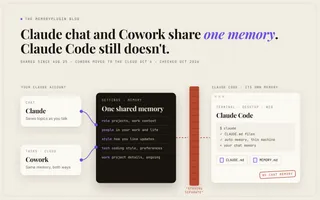
Does Claude Code Share Memory With Claude Chat? Cowork Does. Claude Code Still Doesn't.
No. As of October 19, 2026, Claude chat and cloud Cowork tasks share one memory, but Claude Code keeps its own CLAUDE.md files and machine-local auto memory. Here's where the wall sits, what changed on August 25 and October 6, and how to get past it.

By Alara · Checked October 19, 2026
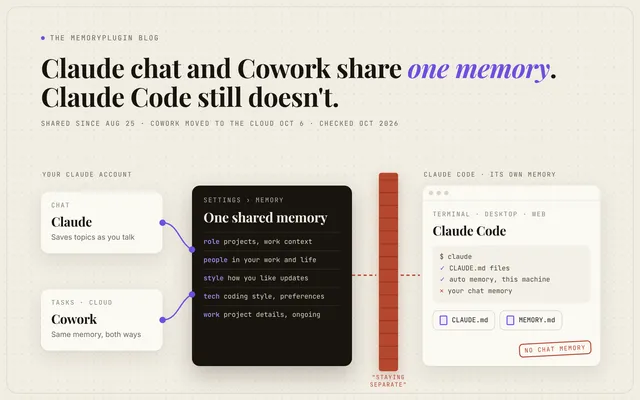
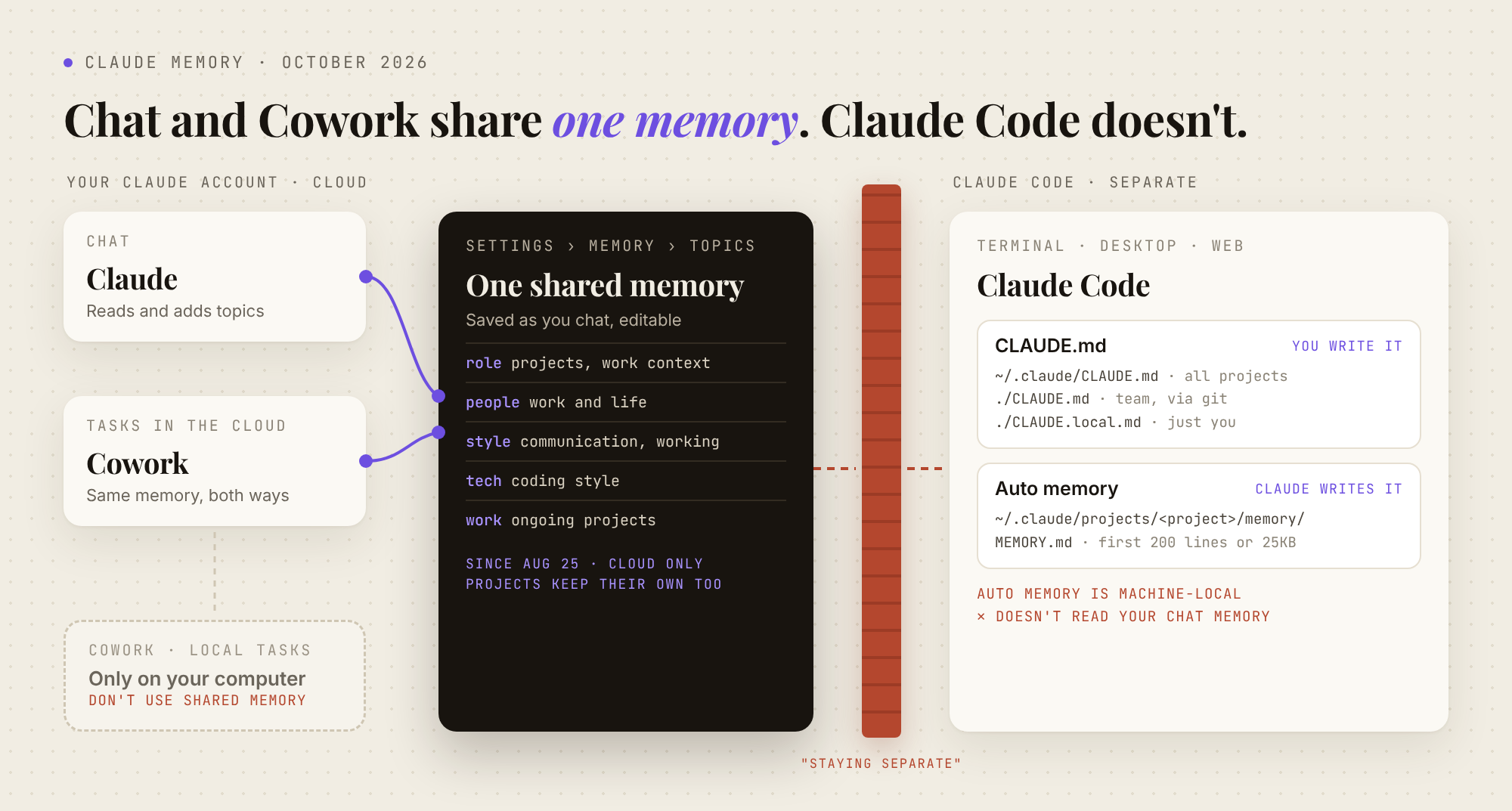
No. As of October 19, 2026, Claude Code does not share memory with Claude chat. Chat and Cowork tasks that run in the cloud have used one memory since August 25, 2026. Claude Code keeps its own: CLAUDE.md files you write and auto memory notes saved on your computer. Neither reads the other.
Anthropic told The Register that Claude Code's memory is staying separate. So Claude knows your work but not your code, and Claude Code knows your code but not your work.
What do Claude chat and Cowork share?
Cowork is Claude's agent for everyday work: hand it a task, like a report from a spreadsheet, and it does the steps. On August 25, Anthropic announced that "the memory you use in chat is the same as in Claude Cowork."
What it stores. Claude saves memory "as a set of individual topics as you chat," says the memory help article. You can edit or delete each topic under Settings > Memory (see how Claude chat memory works).
[Docs excerpt] The help article lists what Claude remembers:
- Your role, projects, and professional context
- The people and places in your work and life
- Communication preferences and working style
- Technical preferences and coding style
- Project details and ongoing work
Claude Code can't read line four, your coding preferences.
How it's scoped.
- Projects. "Each project has its own memory." A project also reads your account memory unless you turn off "Use account memory" on the project's page.
- Work vs personal. Anthropic told The Register that separate accounts are the only way to keep chat and Cowork memories apart.
- One chat or task. Turn off "Memory" in the "+" menu before the first message. Incognito chats aren't saved to memory at all.
Plans as of October 19, 2026:
- Memory is on by default for Free, Pro and Max.
- On Team and Enterprise, owners control it, and it's off for each member until they turn it on.
- Cowork needs a paid plan. Cloud Cowork, which shared memory needs, is in beta on Team, and on Enterprise where an admin enables it.
- On Team and Enterprise, check whether your desktop Cowork task runs in the cloud. Only cloud tasks share memory.
What changed on August 25 and October 6?
- August 25: chat and Cowork began sharing one memory, but only in the cloud. "Cowork sessions that run locally on your computer don't use memory," says the help article.
- October 6: "new Cowork tasks on Pro and Max plans run in the cloud," says the Cowork help page. The "Only on your computer" option is gone, and you can't switch back. Tasks started locally before then stay local.
On September 16, Anthropic started merging chat and Cowork into one Claude for Pro and Max. The merger stops at Claude Code: "the model picker and the 'Code' tab are where they were." (Everything else that changed in Claude this fall.)
The twist: for tasks that must stay on your computer, Anthropic now says to "use Claude Code in the desktop app." Your chat memory doesn't follow you there. The one documented hand-off is manual: download a Cowork task's data, open it in Claude Code and run /port-task-data. That moves one task's context, not your memory.
How does Claude Code remember things?
Claude Code is Anthropic's coding agent for the terminal, desktop app and web. (Full guide to Claude Code memory.) Its memory docs describe two systems:
| CLAUDE.md files | Auto memory | |
|---|---|---|
| Who writes it | You | Claude |
| Scope | Project, user, or org | Per repository |
| Loaded into | Every session | Every session (first 200 lines or 25KB) |
CLAUDE.md is a plain text file of instructions Claude reads at the start of every session. It lives in your home folder (~/.claude/CLAUDE.md), the repo, or an org-wide path set by IT.
Auto memory is notes Claude writes for itself: your preferences, corrections, and project context it "can't derive from the code." Run /memory to see them.
[Docs excerpt] Where those notes live:
~/.claude/projects/<project>/memory/
├── MEMORY.md           # Index, one line per memory, loaded into every session
├── user_role.md        # One memory
├── feedback_testing.md # One memory
└── ...                 # Any other topic files Claude creates
The docs say: "Auto memory is machine-local." Its files "are not shared across machines or cloud environments."
The Projects beta (Pro and Max, rolling out as of October 2026) adds a third store, "separate from the auto memory Claude Code keeps on your machine." As of October 19, 2026, Anthropic's docs and release notes describe no link between any of these and chat memory.
What happens when you switch from Claude chat to Claude Code?
[Sample scenario]
Input, in Claude chat: "We're migrating our app to Postgres 17 this quarter. Remember that for planning."
Output, later in Claude Code (same account): Claude Code loads your CLAUDE.md files and the repo's auto memory. The Postgres decision is in neither, so it goes by the repo. You retype it or add it to CLAUDE.md. The reverse holds too: chat never sees Claude Code's auto memory.
[User report] The day after launch, one X user called the split "quite annoying." A GitHub feature request for "shared context between Claude Code, Claude.ai and Cowork" is still open. Some prefer the wall: "I like keeping their memory separate," one Hacker News commenter wrote.
How do you share memory between Claude chat and Claude Code?
Start native. Put stable facts, like your stack and big decisions, in ~/.claude/CLAUDE.md so every project sees them. Update it when a chat decision changes.
Tools do cross. Per Anthropic's MCP docs, connectors you added in claude.ai "are automatically available in Claude Code" when you log in with that account. Chat memory isn't.
Or use one memory outside both. We make MemoryPlugin. In the site's words, it "keeps one memory outside every app." It connects through MCP (Model Context Protocol, the open standard for plugging tools into AI apps). The Claude Code page says setup is "one URL and a sign-in. No project to wire up, no API key." The MCP page lists a one-line claude mcp add command for Claude Code and a custom connector for Claude on web and desktop. The agent skill (what agent skills are) teaches Claude Code to "Recall before you assume" and "Store before you finish."
You "add, edit, and delete memories yourself," and sort them into "Buckets for work, personal, and projects." Claude splits memory only per project (with "Use account memory" off), not across your whole work. See every supported tool. Every subscription starts with a 7-day free trial.
Set up MemoryPlugin for Claude Code →
Claude Code and Claude chat memory FAQ
Is Claude Code part of the new "one Claude"?
No. The September 16, 2026 change merges chat and Cowork for Pro and Max. The "Code" tab stays where it was, with its own memory.
Do claude.ai connectors work in Claude Code?
Yes, if you sign in to Claude Code with your claude.ai account. On Team and Enterprise, only admins can add them. Tools cross over. Chat memory doesn't.
Does Cowork memory work locally?
No. Shared memory needs Cowork in the cloud, where every new Pro and Max task has run since October 6.
Can I keep work and personal Claude memory separate?
Use separate accounts. Within one account, you can only turn memory off per chat or task, or per project with "Use account memory."
Does Claude Code have its own memory?
Yes: CLAUDE.md files and machine-local auto memory. See how Claude Code memory works.