
Does Codex Remember Past Conversations? How Codex Memory Works (2026)
Codex remembers less than it looks like it does, and only if you set it up. Here's how AGENTS.md, Memories, and codex resume actually work, why Codex can't read your ChatGPT memory, and how to give it context that follows you across tools.

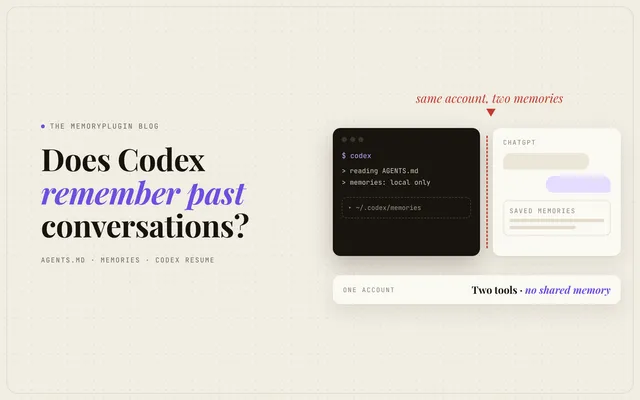
Quick answer: Codex remembers less than it looks like it does, and only if you set it up. AGENTS.md files you write load into every Codex session. Codex Memories can summarize your past chats into local files under ~/.codex/memories/, but they're off by default and live on one machine. codex resume reopens one saved session. What Codex doesn't do is read your ChatGPT memory, even on the same OpenAI account, or anything you told Claude Code or Cursor. OpenAI's docs say outright that ChatGPT memory and local Codex memory are separate stores. (Checked against OpenAI's docs, October 2026.)
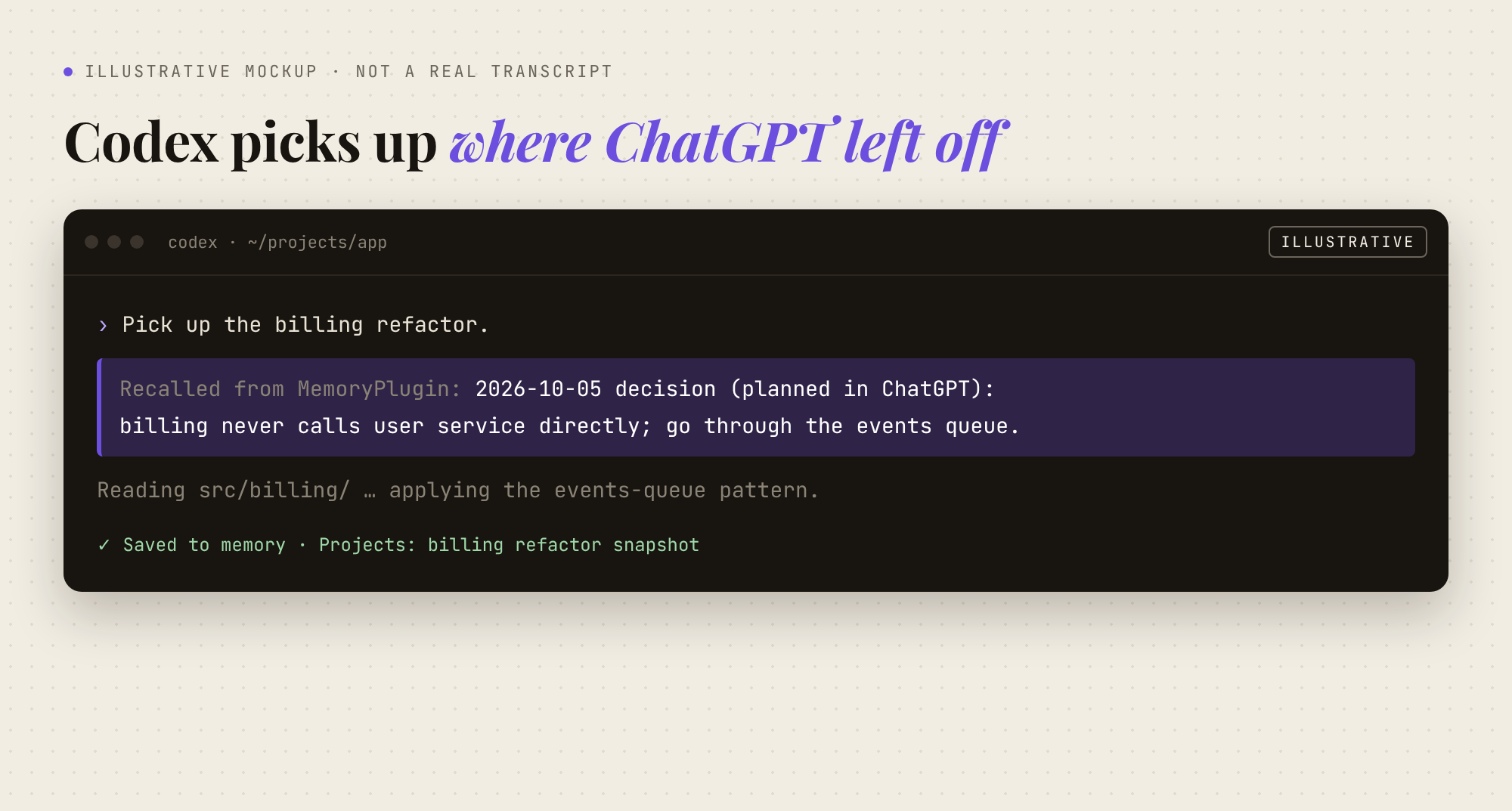
There's a particular kind of déjà vu you only get from coding agents. You spend Monday afternoon explaining to Codex why the billing service can't call the user service directly. On Tuesday you open a new session and it proposes the billing service call the user service directly.
Building a memory tool means I spend a lot of time reading other people's versions of that Tuesday. Lately most of them are about Codex. The questions on Google and Reddit are almost word for word: does Codex remember past conversations, does Codex have memory from ChatGPT, do ChatGPT and Codex share memory. The honest answer changed this year, so here's where things stand in October 2026.
The short version: four things that look like memory
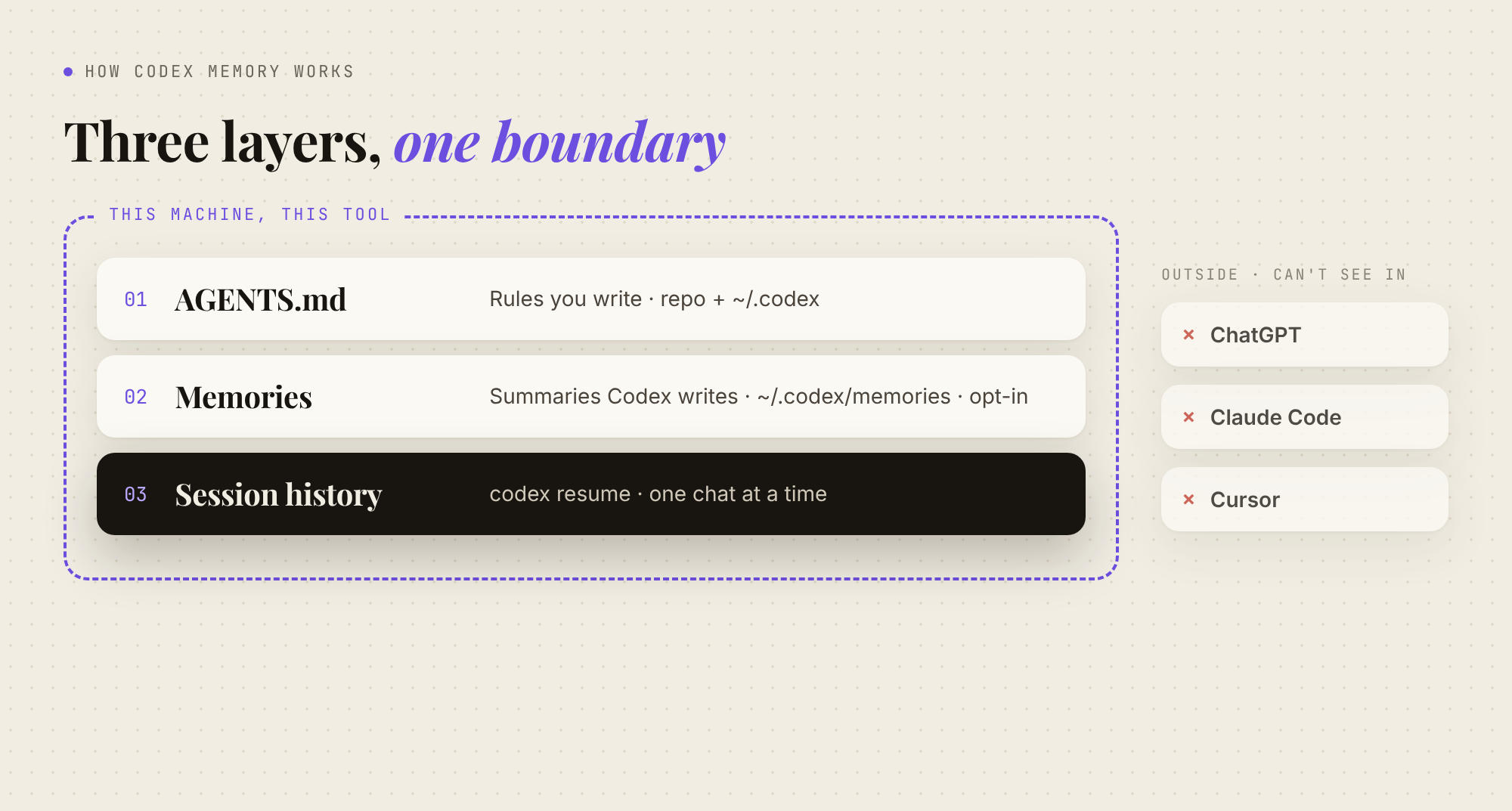
Codex has several mechanisms that carry context from one session to the next. They do different jobs, and most of the confusion comes from treating them as one feature.
| Layer | What it carries | On by default? | Where it lives | Reaches ChatGPT, Claude, Cursor? |
|---|---|---|---|---|
AGENTS.md |
Instructions you write: build commands, conventions, rules | Yes, if the file exists | Your repo and ~/.codex/ |
Partly (other agents can read the file) |
| Codex Memories | Summaries and durable notes from your past chats | No, opt in | ~/.codex/memories/ on one machine |
No |
codex resume |
One earlier session, reopened | Yes | Local session history | No |
| Cloud tasks | Whatever's in the repo and environment | n/a | A separate workspace per task | No |
OpenAI's own customization guide puts it this way: AGENTS.md shapes behavior, memories carry local context forward, skills package repeatable processes, and MCP connects Codex to outside systems. That's accurate. It also means "memory" in Codex is a stack you put together yourself.
AGENTS.md: the memory you write yourself
AGENTS.md is the oldest and most reliable layer, and it's the one OpenAI tells you to lean on. When Codex starts, it builds an instruction chain (AGENTS.md guide):
- Global:
~/.codex/AGENTS.md(orAGENTS.override.mdif present). This is for preferences about you: review style, verbosity, defaults. - Project: starting at the Git root, Codex walks down to your working directory and picks up at most one
AGENTS.mdper directory. Files closer to where you're working override earlier ones. - Limits: it stops adding files once the combined size hits
project_doc_max_bytes, which is 32 KiB by default.
The chain gets rebuilt at the start of every run, so there's no cache to clear. If Codex keeps making the same mistake, OpenAI's advice is to correct it in AGENTS.md and have the agent update the file, "so future sessions inherit the fix."
This works well for what it's built for. It's also not memory in the sense most people mean. AGENTS.md holds rules, not history. It knows your test command. It doesn't know that on Monday you ruled out the direct service call, or why, unless someone stops to write that down.
Codex Memories: real recall, off by default
This is the part that changed this year. In January, the top answer to a r/codex thread asking how memory spans sessions was blunt: "there is no persisted memory with codex." That's no longer true. Codex now has Memories, documented on OpenAI's Memories page:
- Off by default. Turn it on in the ChatGPT desktop app under Settings > Personalization > Enable Codex memories, or add
memories = trueunder[features]in~/.codex/config.toml. - Written in the background. Codex waits until a chat has been idle long enough, skips active or short-lived sessions, redacts secrets from generated fields, and writes summaries, durable entries, recent inputs, and supporting evidence to
~/.codex/memories/. - Controllable per chat.
/memoriesin the desktop app or the CLI decides whether the current chat can use existing memories and whether it can feed future ones. - Shared across Codex surfaces on the same host. The IDE extension uses the connected host's local memory store.
- Rate-limit aware. Generation can skip a pass if your remaining Codex rate limit is below a threshold (
memories.min_rate_limit_remaining_percent).
OpenAI is also clear about what Memories are not: "Treat memories as a helpful recall layer, not as the only source for rules that must always apply." The files are "generated state." You can inspect them, but editing them by hand isn't the intended way to control them.
What people actually report
On Reddit, the reaction to Memories is split, and both sides have a point.
The fans are specific. In a thread about Codex's activity-history feature, one user wrote: "Enabling memories alone made a big difference" (r/codex). The skeptics are just as specific. In Do you turn on memory for codex?, one reply reads: "I wish there was an approve/reject for generated memories, I don't want to have to constantly edit it because 80% of the memories it generates are garbage and wrong." Another user turned it off because "it was learning the wrong lessons" and now keeps a hand-reviewed LEARNINGS.md.
Then there's cost. One post title says it all: Memory summarization ate up my whole 5hr quota while I was idling. A longer write-up on a $200 Pro plan traced unexpected usage to background memory and history jobs and stopped it by setting memories = false. I can't verify anyone's billing from the outside. But the rate-limit threshold setting in OpenAI's docs suggests the cost is real enough to need a control.
My read: Memories work best for the things Codex picks up by watching you (your stack, recurring pitfalls, how you like tests laid out), provided you check what it writes down. That's a decent native feature, so turn it on and see. Just know what it is: memory Codex writes on its own, about Codex chats, on this one machine.
codex resume: saved is not remembered
codex resume reopens a recent chat from the current repository, or searches across local chats when you need older work (CLI docs). It's handy. It also gets mistaken for memory all the time.
Here's the distinction I keep coming back to on this blog: saved is not remembered. Codex stores your sessions. A new session doesn't read them unless Memories is on and has already processed them, and even then it gets a summary rather than the conversation. Resuming continues one thread. It doesn't give the agent knowledge of the other forty.
Cloud tasks are stricter still. OpenAI's cloud docs say each task gets its own workspace, and the working state of each task stays separate. Whatever a cloud task needs to know has to be in the repo, the environment, or the prompt.
Does Codex use your ChatGPT memory? No.
This is the question I see most often, and the one with the clearest official answer. From OpenAI's Memories documentation:
"ChatGPT web uses ChatGPT memory, while local Codex clients use a separate local memory store and controls."
Same account, same company, two separate memories. Everything ChatGPT has learned about you, saved or pulled from past chats, stays in ChatGPT. Turning on Codex Memories doesn't bridge them, which is exactly what someone asked in r/ChatGPT and r/codex this summer.
The clearest description of the cost comes from a feature request on OpenAI's community forum: "Many of my coding tasks are first discussed and planned in ChatGPT, then implemented in Codex. However, Codex conversations are separate from ChatGPT conversations, so I have to repeatedly copy context, decisions, constraints, project goals, and personal preferences into Codex."
That's the most common way people use these tools now: think in a chat app, build in an agent. And it's where Codex's memory stops. The model isn't the bottleneck. Context is. The decision you reached after forty minutes in ChatGPT is exactly what Codex needs, and it's exactly what Codex can't see.
This is the gap I built MemoryPlugin for Codex to close. It's one memory that lives outside both apps, so what you save while planning in ChatGPT is there when Codex starts the work. More on how it's wired below. First, the rest of the native toolkit, because some of it is genuinely good.
The multi-agent version of the problem
ChatGPT isn't the only island. Lots of people switch between Codex and Claude Code, often just to spread usage across two plans. The question in this r/codex thread is one I'd expect a lot of developers to recognize: "every time I switch, the new tool starts blank and I have to re-explain everything."
The good news is that rules have become fairly portable:
- Claude Code now reads a repo's
AGENTS.mdwhen there's noCLAUDE.mdin your working directory or above it (Claude Code memory docs). - Cursor accepts
AGENTS.mdas a plain-markdown alternative to.cursor/rules(Cursor rules docs). - Codex can read other filenames via
project_doc_fallback_filenames(AGENTS.md guide).
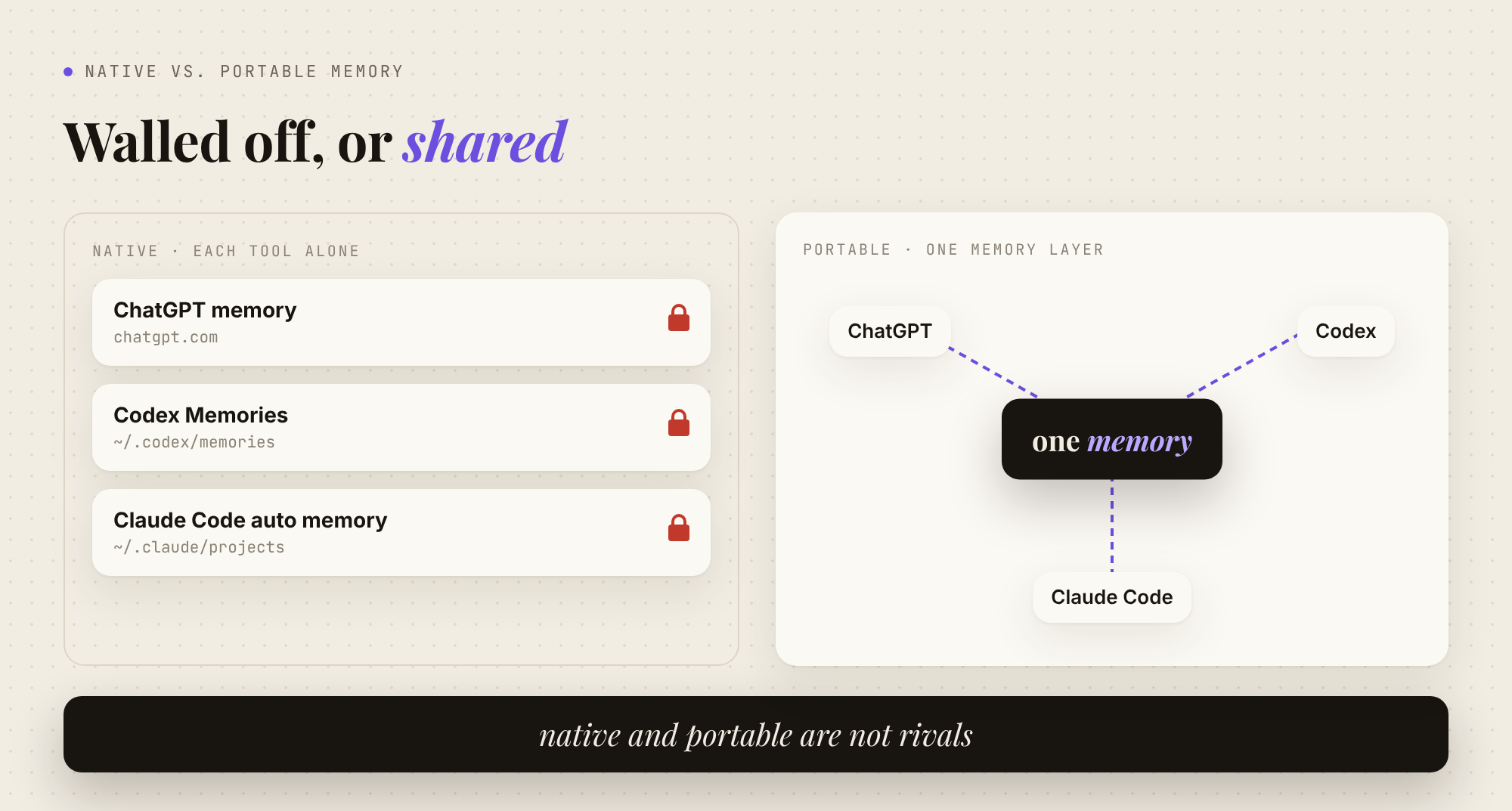
So one well-kept AGENTS.md can steer all three. What doesn't carry over is everything else: Claude Code's auto memory stays in ~/.claude/projects/, Codex Memories stay in ~/.codex/memories/, and neither can read the other's sessions. (I covered Claude Code's side in Claude Code memory explained.) The workaround the community has settled on is a handoff file. Before switching, the agent writes HANDOFF.md or appends to a CHANGES.log: goal, what's done, files touched, next step. It works. It's also you doing memory management by hand, every time you switch.
How to get the most out of Codex memory (native first)
Before reaching for anything external, here's the setup I'd recommend to anyone using Codex seriously:
- Keep
AGENTS.mdshort and current. Put stable rules in the repo file and personal preferences in~/.codex/AGENTS.md. When Codex repeats a mistake, have it update the file. Watch the 32 KiB cap. - Try Memories with your eyes open. Turn it on, then actually read what lands in
~/.codex/memories/for the first week. Use/memoriesto keep throwaway or sensitive chats out. If your usage starts dropping while you're idle, that's the first setting to check. - Write a snapshot at every milestone. Current state, decisions made, next step. Stick to absolute dates; "last week" stops meaning anything within a month.
- Route each fact to the right place. If it's only true in this repo, it goes in the repo. If it's true about you, or about a decision that spans tools, it needs to live somewhere every tool can reach.
Step four is where native tools run out. Native and portable are not rivals: AGENTS.md should stay the source of truth for repo rules no matter what else you use. What's missing is a place for everything that isn't a repo rule.
Where MemoryPlugin fits
MemoryPlugin is the memory layer I build, so here's exactly what it does with Codex, no more.
A shared memory over MCP. MemoryPlugin runs a hosted MCP server, and Codex speaks MCP. Setup is two commands and a browser sign-in. There's no API key to paste:
codex mcp add memoryplugin --url https://www.memoryplugin.com/api/mcp/mcp
codex mcp login memoryplugin
From then on, Codex can search your memories, save new ones into buckets (work, personal, per-project), and recall your synced chat history. That includes the ChatGPT conversation where you actually made the decision, as long as you've imported or synced your ChatGPT history into MemoryPlugin. The same memory shows up in ChatGPT, Claude, Gemini, Cursor, Claude Code and the other supported tools through the browser extension or MCP. Say it once in any of them, and the rest have it from your next conversation.
Agent skills, so Codex uses it unprompted. An MCP server is only useful if the agent remembers to call it. MemoryPlugin's open-source agent skills (npx skills add memoryplugin/agent-skills) teach Codex to check your memory before assuming and to save what matters before finishing. Every save comes with a one-line receipt you can veto, and it has a hard never-store list: secrets, API keys, debugging noise, anything the repo already records. That's the approve/reject loop the Reddit thread above was asking for.
Your Codex sessions, searchable from anywhere. The MemoryPlugin Sync Mac app brings your local Codex, Claude Code and Cursor conversations into your chat history, so ChatGPT or Claude can recall what you decided in the terminal. You choose which projects and chats sync. Only your prompts and the assistant's replies leave your machine; tool output, file contents, terminal commands and thinking don't. It's currently Apple Silicon only (macOS 12+), and syncing needs a Pro plan. (I wrote more about it in Meet MemoryPlugin Sync.)
One thing to know if you use both. Codex has a setting, Allow memories from tool-assisted chats (memories.disable_on_external_context in config), that keeps chats which used MCP tools or web search out of Codex's own memory generation. If you run Codex Memories and MemoryPlugin together, decide on purpose whether those chats should feed Codex's local memory too.
| Kind of context | Best home |
|---|---|
| Build commands, conventions, do-not-touch rules | AGENTS.md in the repo |
| Patterns Codex picks up in this repo on this machine | Codex Memories (if you turn them on) |
| Where a task stands right now | A dated snapshot or handoff note |
| Your preferences, cross-project decisions, what you planned in ChatGPT | A portable memory like MemoryPlugin |
| What you discussed last month in any tool | Synced, searchable chat history |
What it costs
As listed on the pricing page in October 2026: Core is $89/year and includes unlimited memories across every supported tool, buckets, Smart Memory, and your last 500 conversations of chat history. Pro is $180/year and adds unlimited chat history, conversation summaries, monthly insights, shared buckets, and Sync for coding-agent chats. Every subscription starts with a 7-day free trial, and there's a 14-day refund after that if it isn't a fit.
If you've ever pasted the same paragraph of context into Codex twice in one week, start the free trial and connect Codex. It takes about as long as reading this section did.
FAQ
Does Codex remember previous sessions?
Only if you set it up. With Memories off (the default), a new session starts from AGENTS.md, the repo, and your prompt. With Memories on, Codex summarizes eligible past chats in the background and can inject those summaries into new sessions on the same machine. codex resume reopens one specific earlier session.
Do ChatGPT and Codex share memory?
No. OpenAI's documentation says ChatGPT web uses ChatGPT memory, while local Codex clients use a separate local memory store. Saved memories and past ChatGPT chats aren't visible to Codex, even on the same account. To share context between them, you have to paste it, commit it to the repo, or use an external memory that both can reach.
Where does Codex store its memories?
Under your Codex home directory, ~/.codex/memories/ by default (or under CODEX_HOME if you've set it). OpenAI describes the files as generated state: fine to inspect, but not meant to be your main way of controlling memory. To wipe them in the desktop app, use Delete Codex memories in Settings > Personalization.
How do I turn Codex memory on or off?
In the ChatGPT desktop app, go to Settings > Personalization and toggle Enable Codex memories. In config, set memories = true (or false) under [features] in ~/.codex/config.toml. For a single chat, use /memories to choose whether that chat can use existing memories or contribute to future ones.
Can Codex remember what I told Claude Code or Cursor?
Not natively. Each tool keeps its own memory on its own terms. A shared AGENTS.md can align their rules, since Claude Code and Cursor can both read it, but decisions and history stay put. An MCP-based memory such as MemoryPlugin gives all three the same memory to read from and write to.