

Meet MemoryPlugin Sync: Your Coding Chats, In Your Memory
Why we built a Mac app that syncs your Claude Code, Codex, and Cursor sessions into one searchable memory, and what never leaves your machine.

MemoryPlugin started as a browser extension because that is where AI conversations happened: a tab with ChatGPT or Claude or Gemini in it. Then the conversations moved. If you are anything like me, some of your best AI work now happens in a terminal, inside Claude Code, Codex, or Cursor, and those conversations never touch a browser at all.
They also never touch your memory. Every one of those sessions dies as a file on one machine: architecture decisions, debugging marathons, the reasoning behind half your codebase, all of it written down and none of it recallable. Ask ChatGPT next week why you chose that database and it has no idea a three-hour Claude Code session ever happened.
So we built a desktop app. Meet MemoryPlugin Sync.
Why this had to be an app
I wrote recently about why MCP is not the best option for every kind of integration, and this is the clearest case there is. Your coding agent transcripts are local files: Claude Code keeps them under ~/.claude/projects, Codex under ~/.codex/sessions, Cursor in its own store. No protocol, no server, and no browser extension can reach them. The only honest way to include them in your memory is software running on your machine, with your permission, under your control.
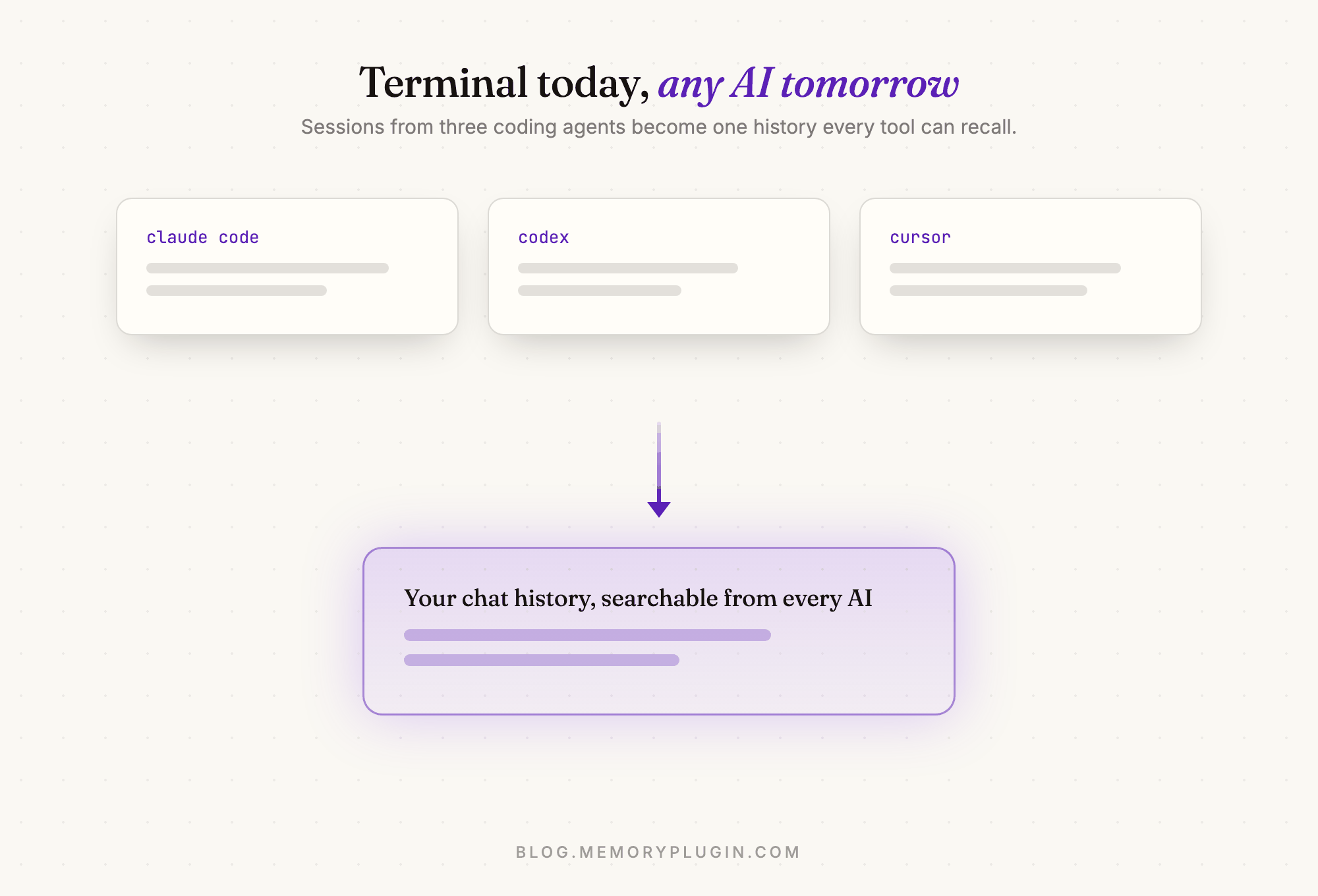
Once those sessions are in your chat history, the payoff is the same one MemoryPlugin has always been about: context that follows you. A decision made in your terminal today is an answer Gemini can give you months from now.
How it works
Sync lives in your menu bar. You sign in through your browser, pick which projects and chats are allowed to sync (every one has a checkbox, and nothing uploads until you have reviewed the list), and from then on it keeps itself current in the background.
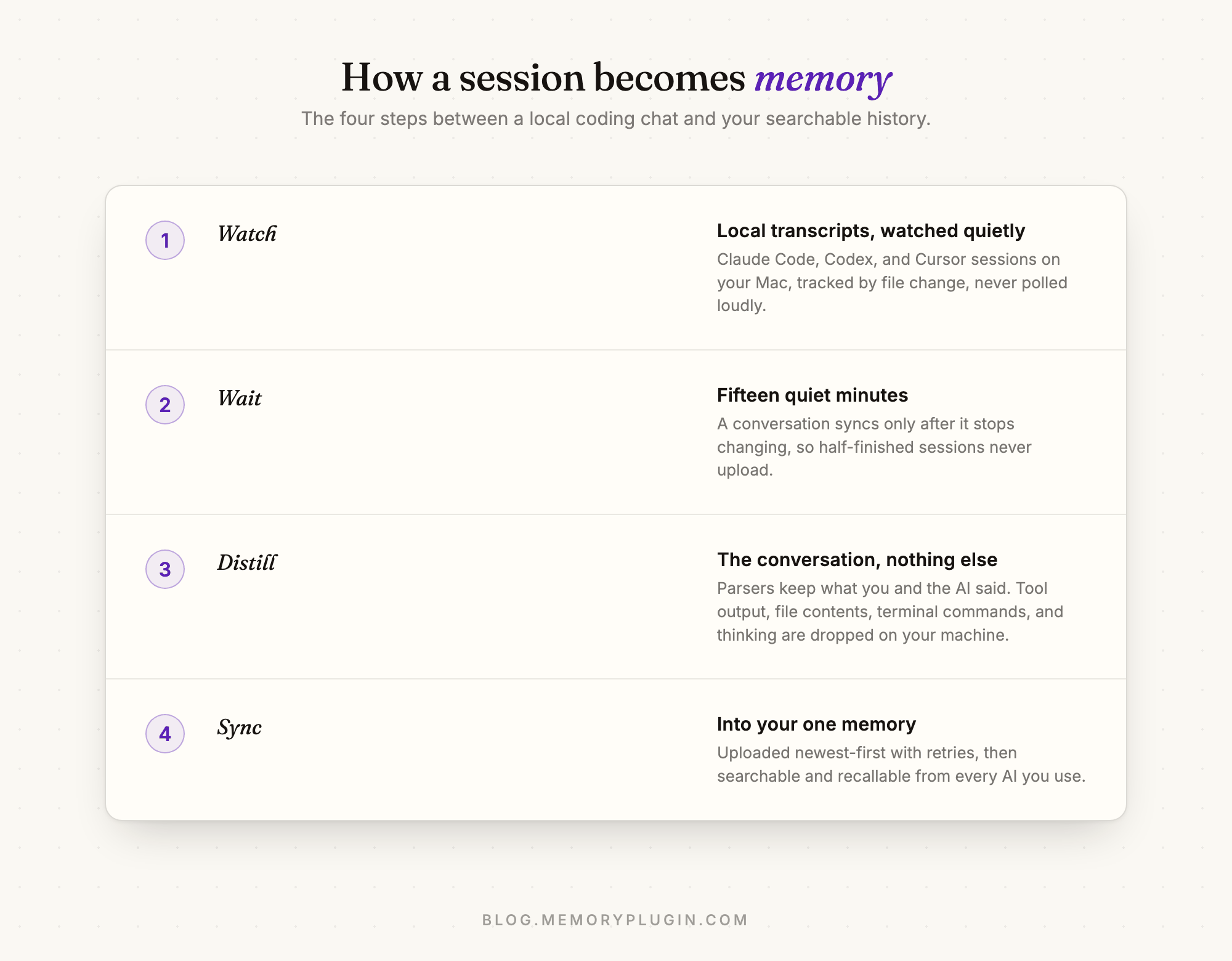
The fifteen-minute quiet window is one of my favorite details. A conversation only uploads after it has stopped changing, so a session you are still in never syncs half-finished, and the server is not re-processing a growing file every few seconds. Boring, polite engineering that makes the whole thing feel calm.
What never leaves your machine
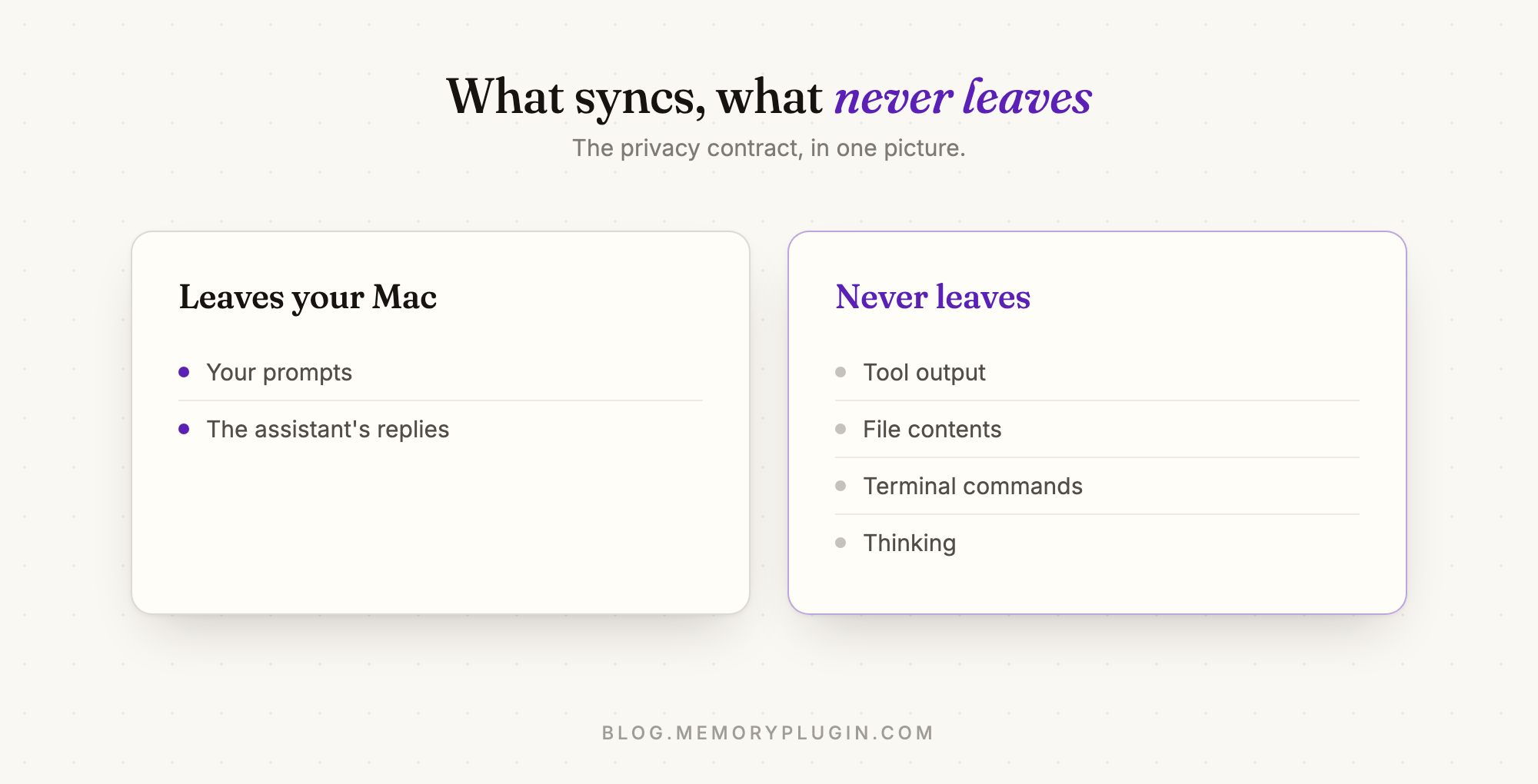
This was the first design decision, made before any code: the app syncs conversations, not code. The parsers keep what you said and what the assistant said. Everything else, tool output, file contents, terminal commands, thinking, is dropped on your machine and never transmitted. Any synced chat can be removed later with one click, and the removal sticks.
How we built it
For the curious, the stack is Tauri v2 with React and TypeScript. We kept the Rust layer deliberately thin: it handles only what a webview cannot, meaning the OS keychain, the OAuth loopback listener, and the menu bar tray. Everything else is TypeScript, which keeps the product logic testable and fast to change.
Some choices I am glad we made:
- Sign-in is a browser redirect, not an API key. OAuth with PKCE and a loopback redirect, with credentials stored in the macOS keychain. There is no token to paste and nothing to leak into a dotfile.
- Sync is incremental and unexcitable. Files are tracked by modification time and size, uploads run newest-first with bounded concurrency, and failures retry with backoff. It behaves the same whether you have twelve conversations or twelve thousand.
- Each agent gets a real parser. Claude Code, Codex, and Cursor all store transcripts differently, and each format has its own noise. The parsers are tested against real local transcripts, so a format change shows up in tests before it shows up for users.
- The UI is native-feeling on purpose. Liquid Glass on current macOS with a graceful fallback, light and dark, and an in-app reader for every parsed conversation so you can see exactly what would sync before it does.
Why it is awesome now
Since the first release the app has quietly become the fastest way to get at your own history. There is a global search shortcut, so from anywhere on your Mac you can pull up any synced conversation with hybrid search, filter by platform, and jump either into MemoryPlugin or back to the original chat. Your terminal sessions stop being archaeology and start being a database.
And because it all lands in your one MemoryPlugin history, everything is recallable everywhere: from the browser extension in ChatGPT, from the MCP server in Claude Desktop, from the agent skills in your next Claude Code session.
What is next
Sync is on macOS today (Apple Silicon, macOS 12 and later), with Intel and Windows on the way. Syncing coding-agent chats requires a Pro plan; browsing and reading your local chats in the app is free on any plan.
Download MemoryPlugin Sync, and your terminal conversations become part of the one memory every AI you use shares.