

DeepSeek Forgets Everything. Here's How to Fix That
DeepSeek starts every chat from zero. What it saves versus what it recalls, why the API forgets by design, and how to give it a memory that travels.

DeepSeek will happily reason through a gnarly proof, refactor your codebase, and cost you almost nothing doing it. Then you open a new chat and it has no idea who you are. In 2026, with ChatGPT, Claude, Gemini, and even Grok all shipping some form of persistent memory, DeepSeek is the major assistant that still starts every conversation from zero.
The short answer
No, DeepSeek does not have memory. There is no saved-memories feature, no custom instructions field, and no memory settings page. Your chats are stored in your account history, but a new conversation does not read any of them. The API is stateless by design: the model sees exactly what each request sends and nothing else.
The confusion comes from one distinction that trips people up on every platform, and on DeepSeek most of all.
Saved is not remembered
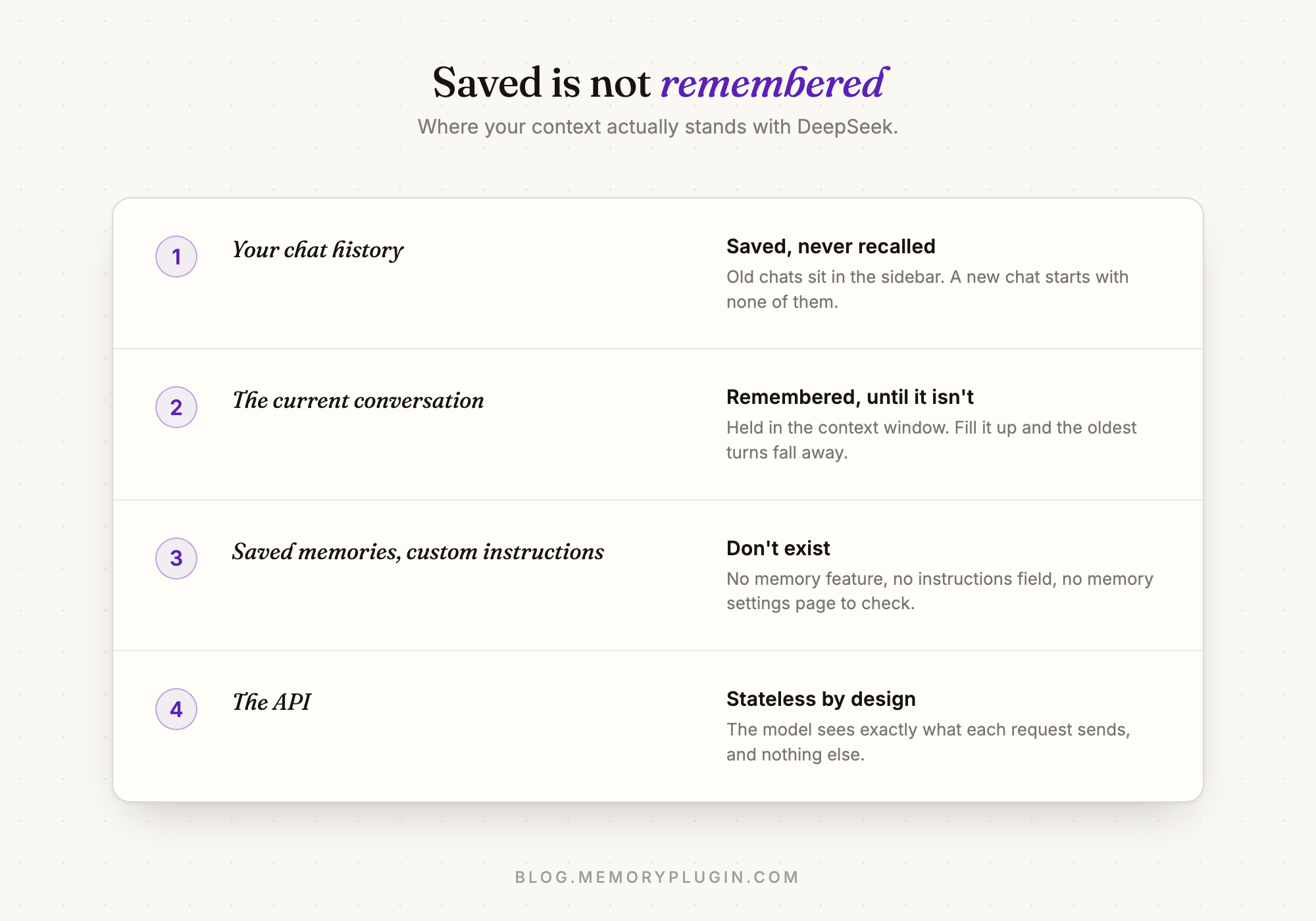
DeepSeek keeps your chat history, your prompts, and your uploaded files at the account level, and you can view or delete them in settings. That is storage, not memory. The history sits in your sidebar for you to reread; the model never consults it. Within a single conversation DeepSeek remembers what was said, but only up to the limit of its context window. Fill that up in a long session and the earliest turns quietly fall out of view.
So the honest inventory is: one conversation of working memory, zero memory between conversations, and no mechanism to change that from inside the product.
Why DeepSeek has no memory feature
It is not an oversight nobody noticed. Users have been filing feature requests on DeepSeek's own GitHub repos asking for persistent user memory across sessions and long-term memory, explicitly pointing at ChatGPT's memory as the model to copy. Those requests remain open. DeepSeek's energy visibly goes into the models themselves, and the chat app around them stays minimal. That is a defensible priority. It just means the memory problem is yours to solve.
What you can do about it
Option 1: carry your context by hand. Keep a context document and paste it at the top of every new chat. It works, and plenty of people do it. It also gets stale, gets forgotten, and turns every new conversation into a chore. We wrote about the general version of this in how to move your memory between AI models.
Option 2: build it yourself on the API. If you are a developer, the stateless API will faithfully replay whatever context you store and resend. That is a real solution for an app you are building, and completely impractical for daily chatting.
Option 3: add a memory layer in the browser. This is what MemoryPlugin does. The browser extension works directly on chat.deepseek.com: it remembers the durable facts about you and your work, and brings the relevant ones into your DeepSeek conversations automatically. Since DeepSeek has nothing built in, a memory layer is not competing with a native feature. It is the only memory DeepSeek can have.
There is a bonus that matters more than the DeepSeek fix alone: the same memory follows you everywhere. The context DeepSeek sees is the same context that serves you in ChatGPT, Claude, Gemini, and 21+ other tools. People rarely use DeepSeek as their only assistant; a shared memory is what makes a multi-assistant setup feel like one continuous workspace instead of five strangers.
How the others compare
If you are weighing DeepSeek against assistants with native memory, we have broken each one down: how Claude memory works, how Grok memory works, and how Perplexity memory works. The short version: everyone else remembers something, everyone remembers it only inside their own walls, and DeepSeek remembers nothing at all.
Frequently asked questions
Does DeepSeek have memory?
No. DeepSeek has no memory feature: no saved memories, no custom instructions, and no memory settings. Each new chat starts with no knowledge of previous ones.
Does DeepSeek remember past conversations?
It stores them in your chat history, but it does not use them. Old chats are saved for you to reopen or delete; new conversations begin with a blank slate.
Does the DeepSeek API have memory?
No. The API is stateless. The model only sees the messages included in the current request, so any continuity has to be stored and resent by your application.
How do I give DeepSeek long-term memory?
Either paste your context into each new chat manually, or use a memory layer. The MemoryPlugin browser extension adds persistent memory directly on chat.deepseek.com and shares that same memory with ChatGPT, Claude, Gemini, and 21+ other AI tools.
Will DeepSeek add a memory feature?
There is no announced plan. Community feature requests for ChatGPT-style persistent memory have been open on DeepSeek's GitHub since 2025 without a committed roadmap.