

By Alara · Checked October 20, 2026
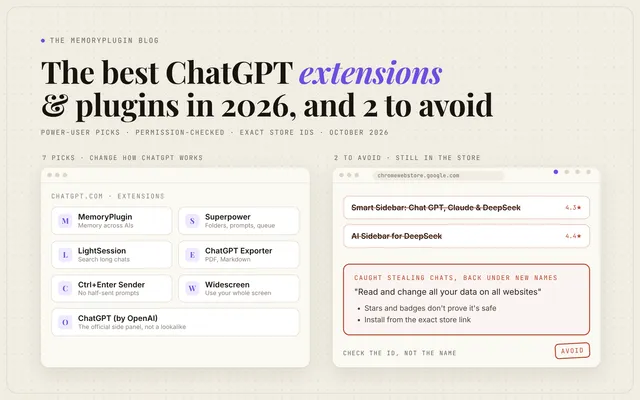
Two Chrome extensions caught stealing ChatGPT chats are in the Chrome Web Store right now. OX Security exposed them in December 2025. Google pulled them, and both came back under new names. They're rated 4.3 and 4.4, have 600,000 users between them, and one was updated on October 19, 2026.
So stars don't prove safety. Permissions tell you more. A tool that does one job on chatgpt.com rarely needs to read every site you visit. Below are the browser extensions (many people still call them "ChatGPT plugins") that change how ChatGPT itself works. Most ask for far less than the stealers.
Disclosure: I make MemoryPlugin, ranked #1. It got the same checks as every other pick.
The top 3
- MemoryPlugin: one memory you can see and edit, shared across your AI tools.
- Superpower for ChatGPT: folders, saved prompts and a message queue.
- ChatGPT Exporter: the cleanest way to save a chat as PDF or Markdown.
How I checked
On October 20, 2026, I:
- Read each extension's manifest, the file listing what it can access.
- Recorded users, rating and last update from each store page, and cut anything not updated in six months.
- Read security reports from OX Security, Microsoft, Netskope, LayerX and Koi Security, and left out everything they flag.
- Checked for lookalikes. There are three "ChatGPT Exporter"s and two "LightSession"s, so every store link below points to one exact extension ID.
The best ChatGPT extensions, grouped by job
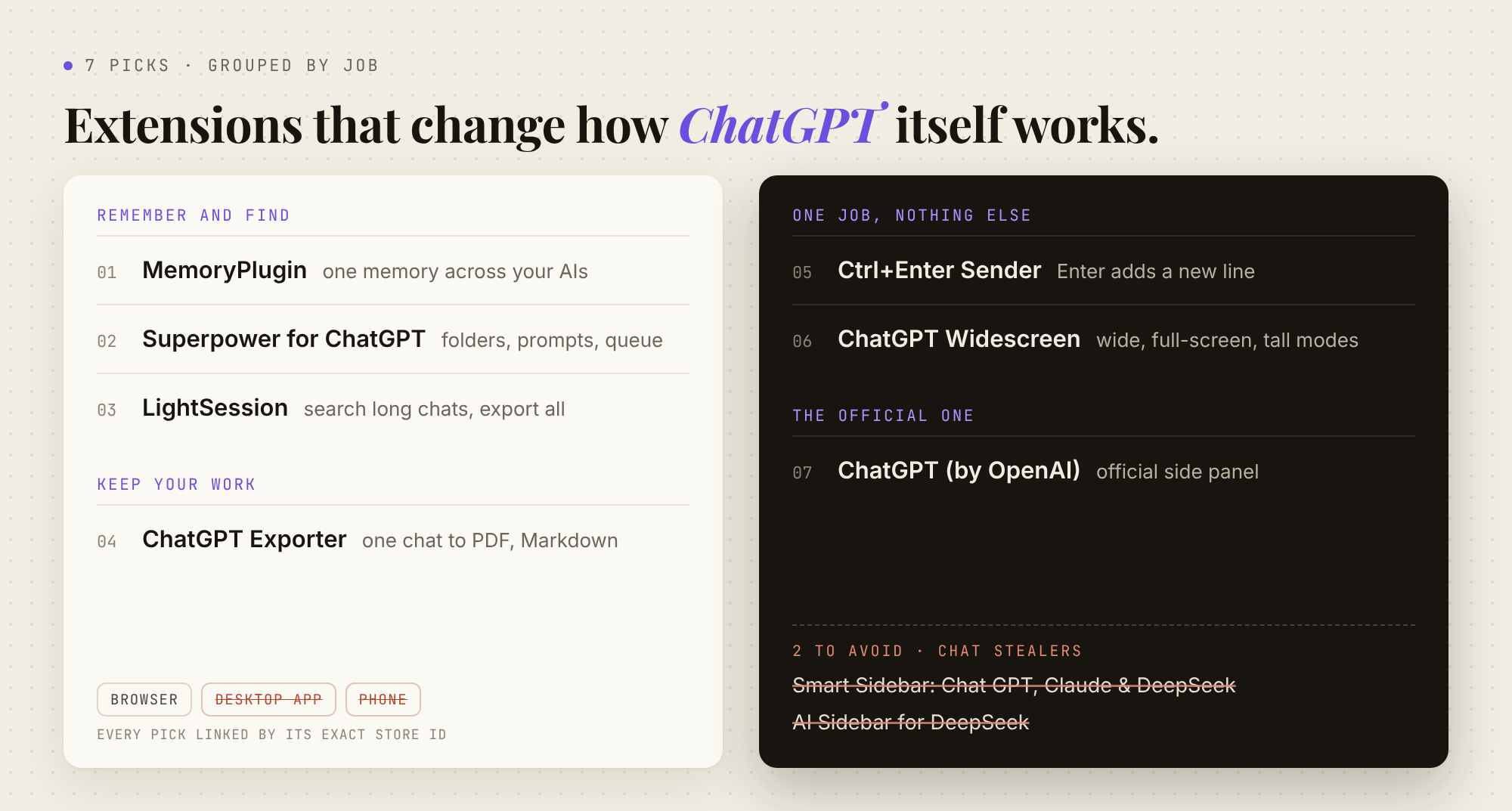
Remember and find
1. MemoryPlugin
I make MemoryPlugin.
It keeps one long-term memory outside ChatGPT that you can see and edit, sorted into buckets for work, personal and projects. The same memory works in your other AI tools. I also built chat history sync, so you can import your ChatGPT history once and keep it synced as you chat.
Example: On Monday you tell Claude your client moved the launch to March 3. On Thursday you ask ChatGPT, "Draft the launch-week email for Acme." The draft already says March 3.
Catch: it runs in your browser (Chrome or Safari), not the ChatGPT desktop or phone apps. Because one extension covers many AI sites, it asks for wide site access, so check it like everything else here. Every subscription starts with a 7-day free trial.
2. Superpower for ChatGPT
This is the one I'd install first after memory. It turns the ChatGPT sidebar into something you can manage: folders and subfolders, a "/" prompt menu, a queue that sends prompts one after another, highlights, notes, and bulk move, archive or delete. It also covers the small fixes: Ctrl/Cmd+Enter to send, a wider conversation, and a model switcher mid-chat.
Example: Type "/" and pick your saved "meeting recap" prompt. On Pro, give it a {{client}} variable and fill in "Acme" each time.
Catch: the screen gets busy, and the free plan caps things like saved prompts (five). Its access stays on ChatGPT, Claude, Sora and its own site.
3. LightSession for ChatGPT
ChatGPT doesn't load a long chat all at once, so Ctrl+F misses the older messages. LightSession opens the whole conversation in its own tab, numbers your prompts down the side, and searches every message, loaded or not. It can also save and export all your chats as Markdown or JSON. Its maker says nothing leaves your computer: no account, no analytics.
Example: In a 300-message coding chat, search "schema", filter to your own messages, and jump to where you pasted it.
Catch: "LightSession Pro for ChatGPT" is a different developer's extension, untouched since April 10, 2026. Use this link.
Keep your work
4. ChatGPT Exporter
Saves the open chat as PDF, Markdown, text, CSV or JSON, keeping code, tables and Deep Research citations.
Example: Shift-click to select the answers you need and export them as a PDF with a table of contents.
Catch: PDFs are built on its server ("deleted immediately," it says), and the free plan limits them to three a day. Other formats stay in your browser.
One job, nothing else
If Superpower is more than you want, these two each do one of its jobs with even narrower access.
5. Chat AI Ctrl+Enter Sender
Enter adds a new line and Ctrl/Cmd+Enter sends, so half-written prompts stop going out. It works on ChatGPT, Claude, Gemini and other listed AI sites. Open source, and it says it never reads the page's contents.
Example: Paste an error log, press Enter to add your question below it, then Ctrl+Enter.
Catch: site redesigns can break it until an update lands.
6. ChatGPT Widescreen
Adds wide, full-screen and tall-screen modes. Open source.
Example: Long lines of code stop wrapping, so a diff reads like it does in your editor.
Catch: a small project, so a redesign can break it for a few days.
The official one
7. ChatGPT (by OpenAI)
If you want ChatGPT in a side panel next to any page, take the official extension, not a lookalike. Fake "AI sidebars" are exactly what the stealers were.
Example: On a YouTube lecture, open the side panel and ask, "Summarize the part about interest rates." It answers from the transcript.
Catch: the broadest permissions here: every site, your history, bookmarks and downloads. It's rated 1.8.
What each pick can access
| Pick | Users · rating | Sites it can read | Worth knowing | Last updated |
|---|---|---|---|---|
| MemoryPlugin | 1,000 · 4.6 (7) | All sites | Cookies; talks to memoryplugin.com | Oct 15, 2026 |
| Superpower | 100,000 · 4.6 (3.7K) | ChatGPT, Claude, Sora | Plus its own site | Oct 18, 2026 |
| LightSession | 50,000 · 4.6 (380) | ChatGPT only | Storage only | Oct 18, 2026 |
| ChatGPT Exporter | 200,000 · 4.9 (2.7K) | ChatGPT, current tab | PDFs built on its server | Oct 15, 2026 |
| Ctrl+Enter Sender | 100,000 · 3.8 (157) | Listed AI chat sites | Says it never reads page text | Sep 29, 2026 |
| ChatGPT Widescreen | 7,000 · 4.6 (70) | ChatGPT, Poe | Storage and current tab | Oct 9, 2026 |
| ChatGPT (OpenAI) | 7,000,000 · 1.8 (1K) | All sites | History, bookmarks, downloads | Oct 15, 2026 |
What ChatGPT already does on its own
- Search: Ctrl+K (Cmd+K on Mac) searches chat titles and messages, on every plan.
- Projects group related chats, files and instructions.
- Backup: Settings > Data controls > Export data emails you your full history.
- Voice: dictation and read aloud are built in.
- Brand apps like Canva live in the Plugin Directory, which replaced the App Directory in July 2026.
What I cut and why
- Brand plugins (Canva, Expedia, Spotify): they connect a service. They don't change how ChatGPT works.
- Multi-model sidebars (Sider, HARPA, ChatHub): they swap ChatGPT for their own subscription, need every site, and are the category chat stealers copy.
- Text Blaze: a good text expander, but not a ChatGPT tool, and it needs every site. Superpower's "/" menu covers saved prompts.
- Keyboard-shortcut extensions: the best one has about 1,000 users, and Superpower already switches models.
- Userscript exporters: they need a userscript manager that can run on any site. LightSession and Superpower now export all your chats without one.
- AIPRM: a marketing-flavored prompt marketplace that needs its own account.
- YouTube Summary (Glasp): a YouTube tool that runs on every page.
- Token counters: ChatGPT doesn't expose real context use, so they guess. The best-known one was last updated in October 2024.
- Voice Control for ChatGPT: rated 3.4, and it breaks after redesigns.
- Custom GPTs: OpenAI retires them on December 11, 2026.
The 2 to avoid, and a safety checklist
Don't install these, whatever their ratings say:
- "Smart Sidebar: Chat GPT, Claude & DeepSeek" (ID
fnmihdojmnkclgjpcoonokmkhjpjechg) - "AI Sidebar for DeepSeek" (ID
inhcgfpbfdjbjogdfjbclgolkmhnooop)
Under their old names, OX Security caught both sending ChatGPT chats to an outside server every 30 minutes. Microsoft cites about 900,000 installs and saw them in more than 20,000 enterprise tenants. In August 2026, Netskope found the second one back with code that opens an affiliate link every time it updates.
- Install from an exact store link. Lookalike names are everywhere.
- Read the permission prompt. "Read and change all your data on all websites" means it can read every chat.
- Ignore stars and badges. One original stealer had Google's Featured badge.
- Distrust generic "AI sidebar" names. Both stealers copied a real one called AITOPIA.
- Any all-sites extension can read chatgpt.com. VPN extensions with over 8 million users were caught collecting AI chats (the maker says it was opt-in).
- Check the last update, and prune unused extensions at chrome://extensions every few months.
FAQ
Are ChatGPT plugins and extensions the same thing?
No. Plugins live in ChatGPT's Plugin Directory and connect services like Canva. Extensions run in your browser and change chatgpt.com itself.
Are ChatGPT Chrome extensions safe?
Many are, not all. Two chat stealers are back in the store under new names, rated above 4. Check the exact store ID and permissions.
Can I connect my own MCP server to ChatGPT?
Depends on your plan. MCP (Model Context Protocol) is an open standard for plugging tools into AI. Per OpenAI, Business, Enterprise and Edu get full custom MCP connections, and Pro can connect servers with read/fetch permissions. Plus isn't listed. It's web only, and on Business only admins and owners can add one.
Is MemoryPlugin a ChatGPT plugin?
No. Despite the name, it's a browser extension for Chrome and Safari. Its memory also works in other AI tools.
Pick one and start
If ChatGPT forgetting you is the problem you'd solve first, set up MemoryPlugin for ChatGPT.